
win 简单手搓vmess 和vless
- 技巧
- 2025-08-03
- 351热度
- 0评论
https://github.com/XTLS/Xray-core/releases/download/v25.7.26/Xray-windows-64.zip
1/win server里安装Xray server
config的配置
xray配置信息
vmess+tcp
{
  "inbounds": [
    {
      "port": 8388,
      "protocol": "vmess",
      "settings": {
        "clients": [
          {
            "id": "c98ee1c3-5ea3-4fbf-a458-4c8393149f2a",
            "alterId": 0
          }
        ]
      }
    }
  ],
  "outbounds": [
    {
      "protocol": "freedom",
      "settings": {}
    }
  ]
}
vmess+tcp+tls: (vmess+ws+tls)
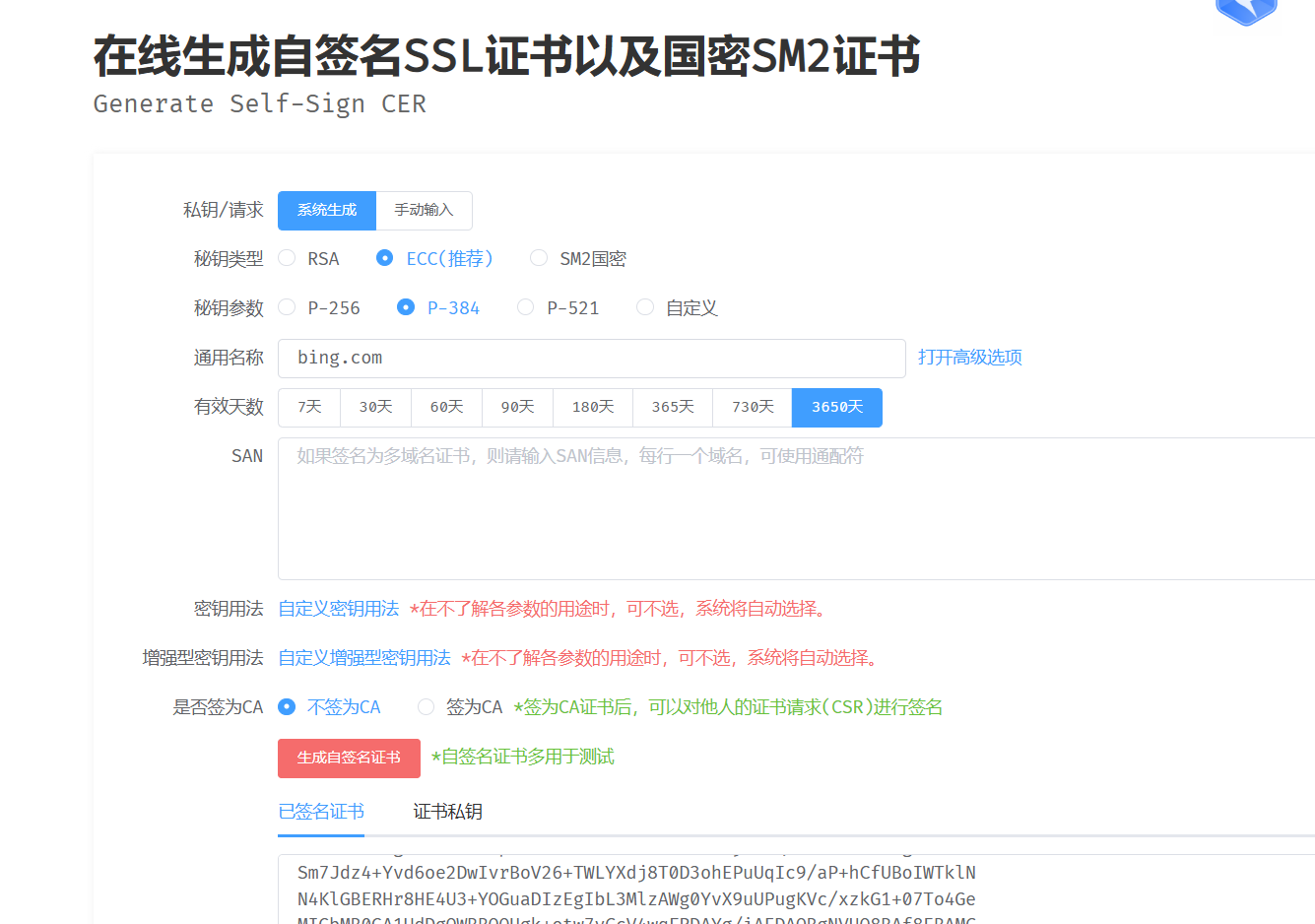
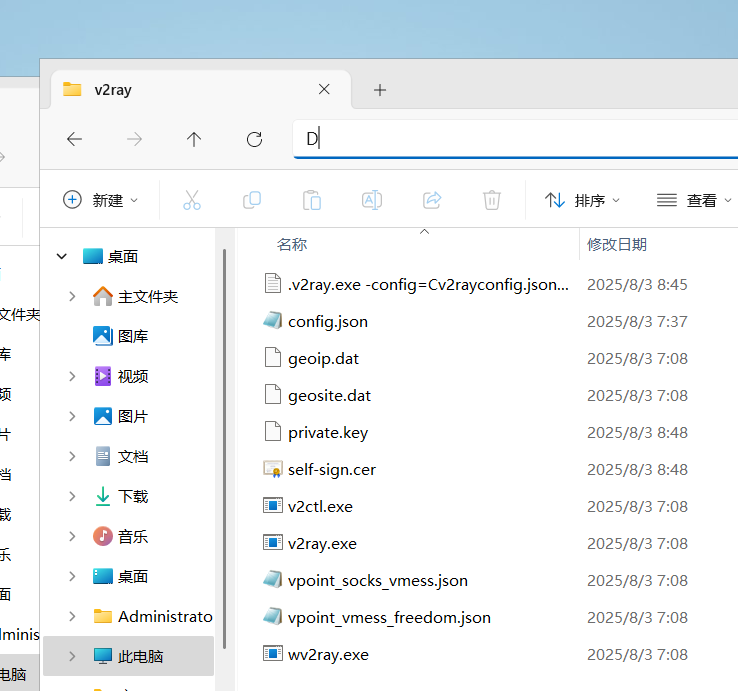
到https://bkssl.com/ssl/selfsign 生成证书和key,下载到远程服务器v2ray目录
{
  "inbounds": [
    {
      "port": 8388,
      "protocol": "vmess",
      "settings": {
        "clients": [
          {
            "id": "c98ee1c3-5ea3-4fbf-a458-4c8393149f2a",
            "alterId": 0
          }
        ]
      },
      "streamSettings": {
        "network": "tcp",
        "security": "tls",
        "tlsSettings": {
          "certificates": [
            {
              "certificateFile": "C:\\Users\\Administrator\\Desktop\\v2ray-windows-64\\self-sign.cer",
              "keyFile": "C:\\Users\\Administrator\\Desktop\\v2ray-windows-64\\private.key"
            }
          ]
        }
      }
    }
  ],
  "outbounds": [
    {
      "protocol": "freedom",
      "settings": {}
    }
  ]
}
手搓vless 配置
{
  "log": {
    "loglevel": "warning"
  },
  "inbounds": [
    {
      "listen": "0.0.0.0",
      "port": 端口,
      "protocol": "vless",
      "settings": {
        "clients": [
          {
            "id": "自建uuid"
          }
        ],
        "decryption": "none"
      },
      "streamSettings": {
        "network": "tcp",
        "security": "tls",
        "tlsSettings": {
          "rejectUnknownSni": true,
          "minVersion": "1.2",
          "certificates": [
            {
              "certificateFile": "C:\\证书路径\\self-sign.cer",
              "keyFile": "C:\\证书路径\\private.key"
            }
          ]
        }
      }
    }
  ],
  "outbounds": [
    {
      "protocol": "freedom",
      "tag": "direct"
    }
  ],
  "policy": {
    "levels": {
      "0": {
        "handshake": 2,
        "connIdle": 120
      }
    }
  }
}
最后用nssm 安装后台自启,下载nssm2.4,Google一下
nssm解压到c:\xray
步骤一:以管理员身份打开 CMD
nssm install Xray "C:\Windows\System32\WindowsPowerShell\v1.0\powershell.exe" -ExecutionPolicy Bypass -NoProfile -Command "& 'C:\Xray\Xray.exe' -config 'C:\Xray\config.json'"
nssm set Xray AppDirectory C:\Xray
nssm set Xray Start SERVICE_AUTO_START
nssm set Xray AppStdout C:\Xray\Xray.log
nssm set Xray AppStderr C:\Xray\Xray_error.log
nssm set Xray AppRestartDelay 5000
nssm start Xray
💡 说明
PowerShell 启动 Xray,无需再 -Verb RunAs(否则会卡在暂停状态)。
NSSM 以 LocalSystem 权限 运行,相当于管理员权限。
AppDirectory 设为 C:\Xray 保证相对路径正确。
开机自启、后台运行、崩溃 5 秒后自动重启。
日志保存到 C:\Xray\Xray.log 和 C:\Xray\Xray_error.log。
执行完后验证:
nssm status Xray应显示:
SERVICE_RUNNING
nssm install v2ray "C:\Windows\System32\WindowsPowerShell\v1.0\powershell.exe" -ExecutionPolicy Bypass -NoProfile -Command "& 'C:\v2ray\v2ray.exe' -config 'C:\v2ray\config.json'"
nssm set v2ray AppDirectory C:\v2ray
nssm set v2ray Start SERVICE_AUTO_START
nssm set v2ray AppStdout C:\v2ray\v2ray.log
nssm set v2ray AppStderr C:\v2ray\v2ray_error.log
nssm set v2ray AppRestartDelay 5000
nssm start v2ray
查看状态:
nssm status v2ray
应显示:
SERVICE_RUNNING
查看日志:
type C:\v2ray\v2ray.log
这样设置后:
v2ray 会在系统启动时自动运行
后台运行、无窗口
崩溃后 5 秒自动重启
输出日志保存到 C:\v2ray\v2ray.log